


SENDING PICTURES, GRAPHICS, AND WRITTEN TEXTS FOR THE PRODUCTION OF CUSTOM GOBOS

To allow us to establish and inform you about  the development cost of your custom gobo, it is necessary we receive the image you want to print. This can happen in two main ways: by sending a digital file or by postal consignments of an original hard copy or content on traditional supports.

VECTOR FORMAT:

The ideal images are vector files ( pdf, .ai, .cdr. .eps ) for logos or illustrations, with the texts converted in curves (or with the origian font attached). T
o properly lay out your vector graphics, download the template and follow the instructions. 
 

RASTER FORMAT:

For bitmap images we recommended .psd files or .jpg / .tiff in hight quality. The file must be not less then 2 MB of weight about .jpg files. Better is the image quality, better will be the result in the gobo printing.
Pay attention: force the resolution of an image in low quality is not needed in order to obtain a better quality of the file. 
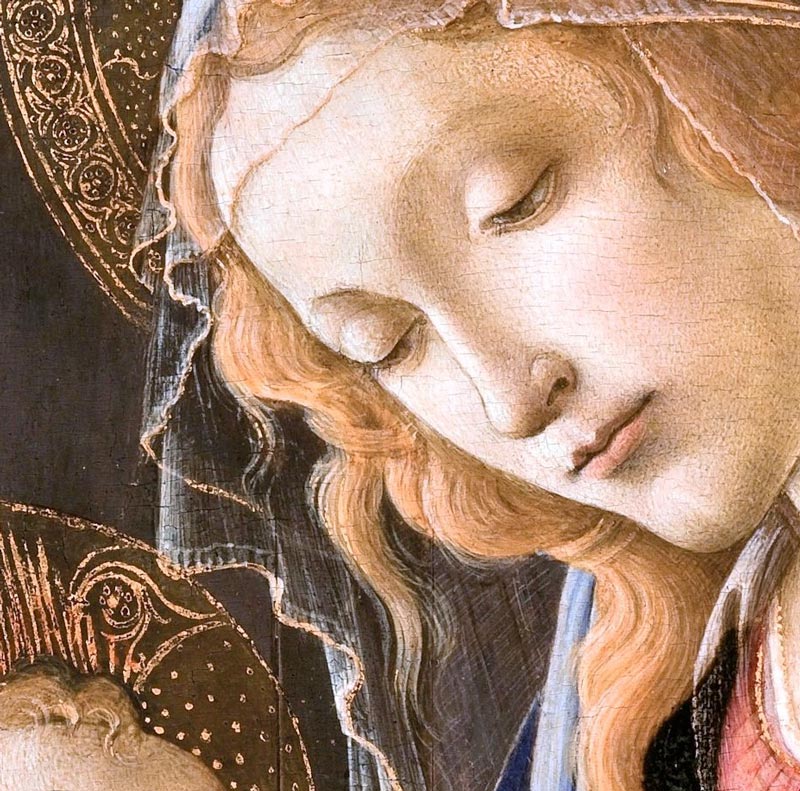
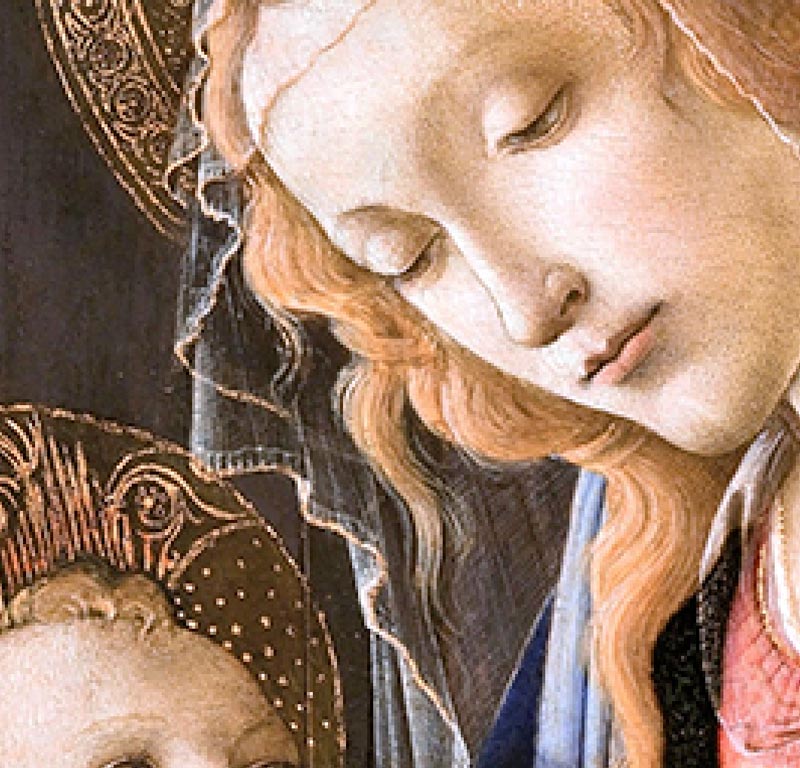
To evaluate by yourself the quality of your file, we suggest to zoom it: the details must remain clear and well defined without the pixels as in the example. To properly lay out your images, download the template, open it with a  graphic software, set up the resolution to 1500 dpi, color method CMYK or GREY SCALE for black and white images. If you are not able to do it by yourself, follow the next step about the SERVICE OF GRAPHIC ELABORATION.

COMPARISON BETWEEN A HIGH QUALITY IMAGE AND THE SAME IMAGE IN LOW QUALITY

Image example hight quality

High quality image: clear and well defined details


Low quality image: details are lost, blur effect, visible pixels


SERVICE OF GRAPHIC ELABORATION:

In case you are not able to independently perform layout operations, a team of  GOBOS PRODUCTION's graphic designers is at your disposal to process your image for engraving. The service has an additional cost that will be measured by the amount of work required (color correction, reconstruction of the low quality logos in vector format, layout, design images / illustrations themes at your request, etc ... ). After processing your file, we will forward a preview for approval before proceeding with the recording. Warning: remember that the engraving of an image on gobo cannot completely respect the pantone colors as in the traditional printing. We will try to get the closer result possible. Also the result depend to the power of the projectors you use.


DOWNLOAD THE TEMPLATE:

To proceed with the layout by yourself, please download the template and follow the instructions.


template for gobos
50 mm


template for gobos 
 70 mm


UPLOAD YOUR FILE:
To get a quote, please complete the form with all your data and upload your final file. 
 

More info

examples of custom gobos and the result in the projection

PROIETTA optimizes your images to obtain the best results in the applications. Here are some custom gobo s examples in gray scale, black and white, and colours and the result in the projection.

How to maintain your gobos in perfect condition

Is extremely important, when handling the gobos, avoid contact and friction with sharp objects, dust particles, etc., or even among gobos, and should therefore be kept each one separately and not stacked with each other .


FAQ GOBOS

Frequently asked questions about the use of gobos and the creation of your own custom image


GOBOS PRODUCTION | Proietta projector

Outdoor and indoor projectors created by proietta for every kind of projection